Approving a Transaction
Approval is the decision point: approve, return for correction, or reject outright.
Overview
Section titled “Overview”Your pending approvals appear on the dashboard and in the Pending Approval list. Each one shows the transaction, who raised it, and the full history including anything a previous approver said.
Prerequisites
Section titled “Prerequisites”Before you begin
- The party exists and is active
- The items you need exist with a unit of measure
- The financial period you are posting into is open
Opening the screen
Section titled “Opening the screen”- Transactions
- Pending Approval
Procedure
Section titled “Procedure”Open the pending approval
From the dashboard tile or Transactions → Pending Approval, open the transaction.
Review the transaction and its history
Check the details against the supporting documents. The History tab shows every state change with its timestamp, user and comment.
Decide
Choose one of the three actions. A comment is mandatory on Return and Reject, and optional on Approve.
Confirm
Confirm the action. The originator is notified immediately and the history records your decision.
Expected result
The transaction moves to Approved, Draft or Rejected, the originator is notified, and the item leaves your pending list.
Field reference
Section titled “Field reference”| Field | Type | Required | Default | Description | Notes |
|---|---|---|---|---|---|
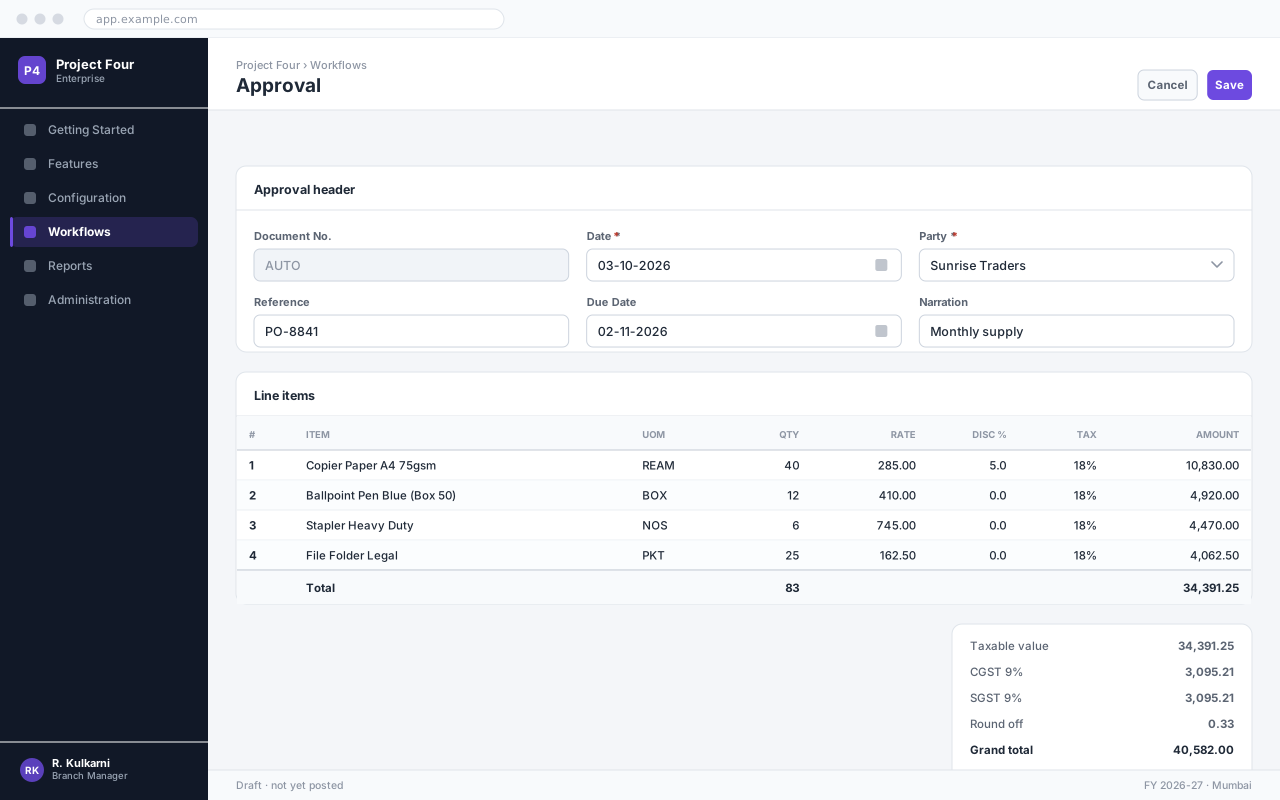
| Document No. | Auto | Read-only | — | Number allocated from the Approval series when the record is saved. | Gaps are not permitted; cancel rather than delete. |
| Date | Date | Yes | Today | Effective date of the transaction. | Must fall inside an open financial period. |
| Party | Dropdown | Yes | — | The account this transaction is raised against. | Only active parties are listed. |
| Reference | Text | No | — | The other party's document number, for reconciliation. | |
| Narration | Text area | No | — | Explanation carried through to the ledger and the printed document. |
Approval fields
Important notes
Section titled “Important notes”Common problems
Section titled “Common problems”The Save button is disabled
A required field is empty or invalid. Fields in error are outlined in red with the reason underneath — scroll up, the first error is usually in the header.
You do not have permission to perform this action
Your role is missing the relevant permission for this screen. Ask an administrator to check it against Roles & Permissions.
The period is closed
The date falls in a financial period that has been closed. Either use a date in an open period, or ask an administrator to reopen it — which affects everyone, so it is rarely the right answer.
The rate comes in as zero
No price is configured for that combination of party and item on this date. Check the applicable price list, and whether its validity window covers the document date.
Frequently asked questions
Section titled “Frequently asked questions”Can I approve my own transaction?
No, unless self-approval has been explicitly enabled for the transaction type. It is off by default.
Can I undo an approval?
No. Approval is a committed decision. If it was wrong, the transaction has to be closed or cancelled through its own workflow, which is visible in the history.
What if I am going on leave?
Set up delegation on your user record. Delegated approvals are recorded against both you and your delegate.